Aries Fire
Make room for a beginning.
You don’t need to see the whole path to take the first step. Give a little energy to that idea you keep coming back to: one small action can help you make it your own.
 Seleneby Solenith
Horoscopes and symbolic readings to explore and share with anyone you like.
Free beta · On your phone or computer, no installation needed
You don’t need to see the whole path to take the first step. Give a little energy to that idea you keep coming back to: one small action can help you make it your own.
Editorial example · An undated symbolic reading
Inside Selene
Readings to explore, symbols to interpret and a place to return to your thoughts. The beta includes Plus features with a free account.
Read the daily horoscope for your sign. With a free account, the beta also lets you explore personal, weekly and monthly readings.
Explore your Sun, Moon and rising sign with your birth details. The time and place help calculate your birth chart; without a known time, some details are limited.
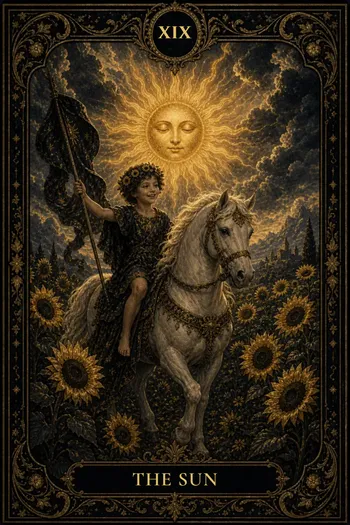
With a free account, explore tarot, runes, I Ching and oracle cards. Read their meanings and use the spreads as prompts for personal reflection.
Check the lunar phase in your daily reading and discover events in the public celestial calendar.
Write down thoughts and dreams in your journal. Use “Save to history” to keep your spreads and find them again in their dedicated section.
Turn your horoscope into a PNG postcard: choose a theme and format, then share the image or download it when your browser cannot share files.
A glimpse of the app
Start with your daily reading. Explore the words, choose a spread or pause to write in your journal: each experience has its own rhythm.
Step into SeleneThe content is intended for entertainment and personal reflection. These are not certain predictions.

How it works
Open the web beta. Start with your daily horoscope as a guest, or create a free account for complete readings and postcards.
In your horoscope, tap “Share”. In the “Create your card” panel, choose an available theme and either the Story 9:16 or Post 1:1 format.
Tap “Share” to open your device’s sharing options. If your browser cannot share images, Selene downloads the PNG instead.
Words to send on
The app creates a PNG image in Story or Post format. Anyone receiving it can read it without Selene. No public page is created for the reading.
You don’t need to see the whole path to take the first step. Give a little energy to that idea you keep coming back to: one small action can help you make it your own.
Leave a little room between what others ask of you and what you truly want. A pause, an honest conversation, a small no: these can help you find your centre again.
An insight may arrive quietly while you’re doing something else. Make room for it in your day: write a line, listen to a song, reach out to someone who feels like home.
These are visual interpretations with sample text. Themes and content in the app may differ.
Explore the postcard demoThe current offering
At this stage, you can explore Selene without buying a subscription. A free account includes the beta’s Free and Plus features.
To get started
To explore
What about paid features?
Premium Astral is being developed and is not available to buy. There are no active payments or paid subscriptions. Any future terms will be presented in the app before a purchase.
Before you begin
Accounts, availability and postcards.
The useful things to know.
Yes. As a guest, you can choose a sign, read its daily horoscope and see the daily ratings. The celestial calendar is public.
Complete readings, horoscope postcards and the other beta features require a free account. You can create one on the app’s sign-in screen.
The web beta is free. An account gives you access to Free and Plus features, with no payment required.
Premium Astral is being developed and is not available to buy. The current offering has no active paid subscriptions.
Open the web beta in your phone or computer’s browser. There is no need to download an app from a store.
The Android version is in development and is not yet available on Google Play. There are no iOS or desktop installer links here.
Sign in to Selene, open your horoscope reading and tap “Share”. The “Create your card” panel shows a preview and lets you choose an available theme and format.
Choose Story 9:16 or Post 1:1. Tap “Share” again to create the PNG image and open your device’s sharing options.
Start here
Use Selene in your browser on a phone, tablet or computer. The beta is free: start with your sign, with nothing to install.
The Android version is in development. App store downloads are not available yet.